
Updated 13 August 2026

Prepare for doctor visits when dealing with chronic illness brain fog. Use our practical checklist to reduce cognitive load and advocate with confidence.
Quick answer
Prepare for an appointment by choosing your three main concerns, writing down specific functional changes, listing current treatments, and recording the questions you need answered. A short, structured summary can reduce the working-memory burden of brain fog and help you leave with a clear written follow-up plan.
Why does brain fog make appointment prep so hard?
Walking into a clinic with a foggy head feels like taking a test we never studied for. Bearing the mental load of health management with a chronic illness is exhausting, and prepping for an appointment can be just as draining. Up to 40 percent of people managing chronic pain experience brain fog, which scrambles working memory and focus. Trying to pull together weeks of symptoms and meds the night before a visit is a fast track to a crash. Forcing ourselves to rebuild our health story under clinical pressure burns precious energy when our cognitive load is already at its limit.
- Working memory lapses make it difficult to remember when symptom changes started or what triggered a flare.
- Concentration barriers prevent us from reading through piles of messy, scattered notes to find patterns.
- Cognitive fatigue makes the physical act of writing, typing, or organizing questions feel like moving mountains.
- Processing delays make short, rapid-fire clinical questions during a brief appointment incredibly difficult to answer in real time.
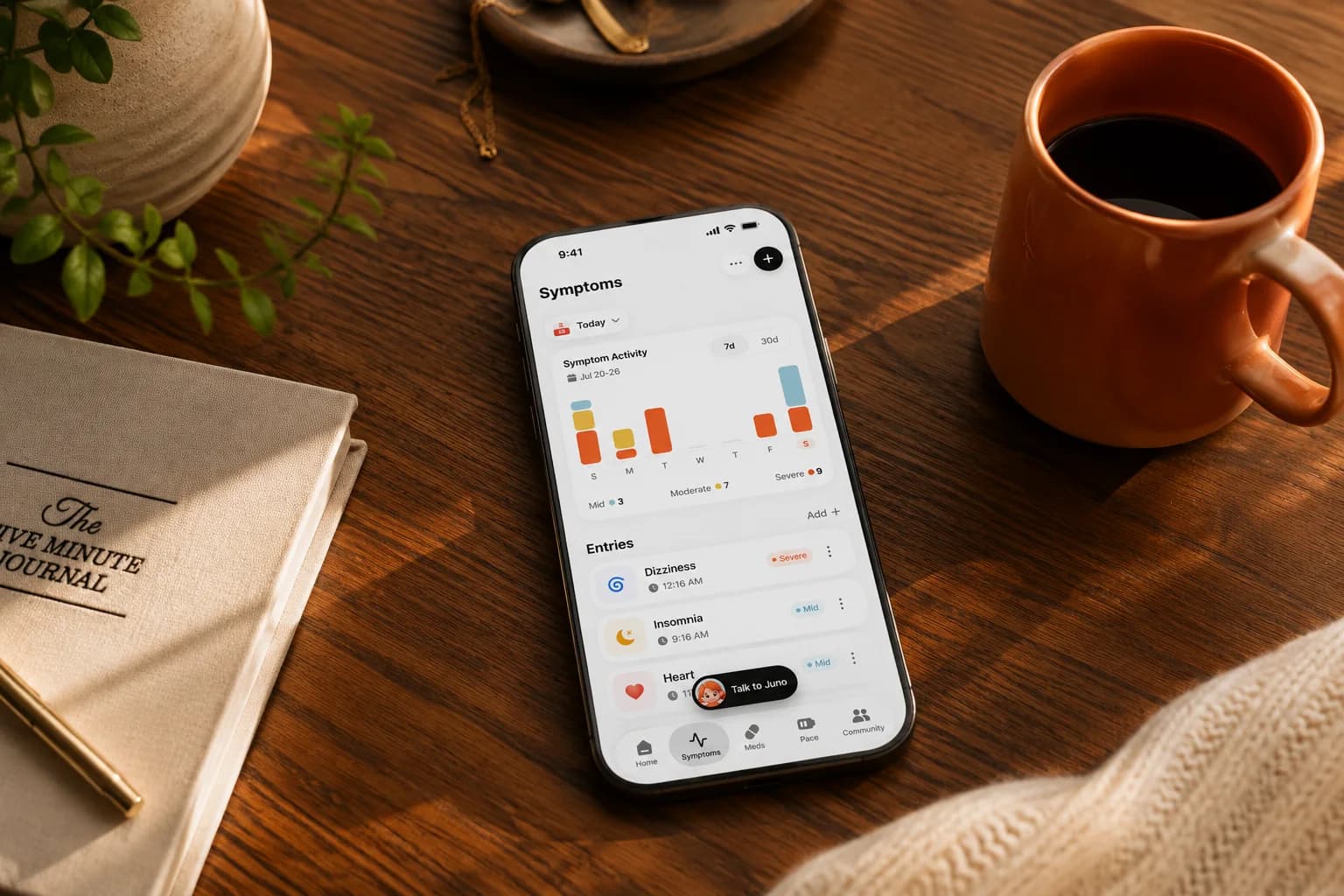
To bypass these hurdles, we must change how we prepare. Instead of cramming or forcing our brains to reconstruct months of details on demand, we need to pace our preparation. By using a consistent symptom tracker like the Juno App to log details close to when they happen, we can offload the mental tracking. The goal is to turn daily check-ins into a clean summary of our functional impact, allowing us to step into the clinic with clear evidence without exhausting ourselves before we even sit down.
How do I start a running note early and avoid last-minute recall?
We have all been there: sitting in the waiting room, trying to force a fatigued brain to reconstruct weeks of flares, triggers, and missed plans. Rebuilding our story from memory while under clinical pressure is an immense cognitive load, especially when brain fog makes concentration difficult. Instead of putting ourselves through a last-minute recall panic, the most supportive thing we can do is keep a low-pressure, running note in the weeks leading up to the appointment.
The key to a successful running note is logging facts close to when they happen, rather than relying on memory later. When we capture details in the moment, we record a truer picture of our daily health. This does not mean writing essays. Effective symptom tracking is simply about taking raw, messy details and sorting them into a short, dated summary before they blur together by the next appointment.
- Symptoms and timing: What occurred, and did it happen during a specific part of the day?
- Potential triggers: Any noticeable links to physical exertion, food, or weather changes.
- Medication adjustments: New doses, skipped days, or side effects.
- Functional impact: What the symptom actually stopped, delayed, or changed in our daily life.
If typing on a bad day feels too heavy, our companion in the Juno App is designed to reduce this fatigue. She quietly logs our voice or text check-ins without forcing us to fill out exhausting forms, gently protecting our limited energy while building a structured, clinic-ready summary for our doctor.
How do I choose the three things that matter most for a short consultation?
Standard primary care appointments are incredibly brief, often averaging a median length of just 15 minutes. When you are managing a complex chronic illness under the heavy weight of cognitive fatigue, walking into a short consultation can feel overwhelming. Trying to rebuild the story of your condition from memory during those fleeting minutes often leads to advocacy fatigue and missed details. That is why we use the top-three rule to reduce your cognitive load and ensure your most critical health concerns are addressed before your energy is fully spent.
Instead of trying to hold the whole picture in your head or listing every single symptom, focus on the three areas that currently have the greatest impact on your daily life. To help you identify these, look at how your symptoms stop, delay, or change your routine. If you want a simple way to organize your thoughts before your appointment, we offer free, printable symptom trackers as a low-barrier offline starting point in our how-to guides. Whether you use a paper sheet or an app, organizing your concerns into three clear categories prevents you from being overwhelmed by the clinical rush.
- Your primary symptom change: Detail your most disruptive flare or a new trigger, focusing on its timing and functional impact.
- A critical safety or medication question: Note any side effects from recent treatments or changes in your crash risk.
- Your main goal for the visit: Clearly state what you need today, whether that is a specialist referral, a specific test, or a pacing adjustment.
If you want to automate this process, the symptom tracker in the Juno App is designed specifically to do the heavy lifting for you. By having daily text or voice conversations with her, she quietly logs your patterns, triggers, and sleep metrics. When your appointment approaches, she gently reshapes those scattered daily notes into a structured, one-page PDF summary for your doctor. This clinical report ensures you can advocate for yourself effectively without having to find the words on a high-brain-fog day.
How should I describe symptoms in terms of daily functional impact?
When we walk into a clinic with brain fog, trying to remember how we felt over the past few weeks is an uphill battle. If we rely on generic severity scores like a seven out of ten pain day, clinicians often struggle to understand what that actually means for our lives. Instead, we must translate vague symptoms into clear, dated summaries. The most effective way to communicate is to focus on functional impact, specifically what a symptom stopped, delayed, or changed in our daily life. Describing how symptoms affect daily activities like meal preparation, sleep, or work helps your doctor quickly understand how illness alters your sustainable energy envelope.
- Instead of 'My fatigue was terrible,' write: Cognitive fatigue delayed my ability to read a simple email by three hours.
- Instead of 'My joints hurt,' write: Joint pain in my hands stopped me from opening jars or preparing dinner on Tuesday.
- Instead of 'I had a bad crash,' write: Post-exertional malaise forced a flare that changed my schedule and kept me in bed for two days.
To make your records doctor-ready, we advise organizing your symptoms around six key dimensions: location, quality, intensity, timing, triggers, and functional impact. Documenting these details close to when they happen prevents us from having to reconstruct facts later or rebuild the story from scratch when our concentration is limited.
If organizing these details feels like a second job, you can use a dedicated symptom tracker to reduce the cognitive load. The Juno App is built to simplify this pacing workflow. Through simple text or voice chat, she quietly logs your symptoms and flares without forcing you to fill out tiring forms. She then turns these raw notes into a structured, one-page PDF summary for your doctor, rheumatologist, or specialist.
How do I organize my medications and questions in priority order?
When cognitive fatigue makes it hard to remember what you ate for breakfast, explaining a complex pharmaceutical routine to a doctor feels near-impossible. Navigating appointments while managing severe brain fog requires reducing this cognitive load through paced preparation. Instead of trying to reconstruct your entire medical timeline from memory, you can lower the mental burden by organizing a simple, written list of all current prescriptions, supplements, and recent dose adjustments beforehand. Having this structured layout ready keeps the conversation on track without draining your limited energy reserves.
- Prescription details: Write down each medication name, dose, and frequency.
- Over-the-counter additions: Include any vitamins, minerals, or herbal supplements, as these are critical for identifying potential drug interactions.
- Recent adjustments: Clearly note the date of any dosage changes and how they impacted your baseline symptoms or triggers.
- Functional impact: Document any side effects or physical changes you noticed after taking a dose.
Beyond medications, brain fog often causes us to freeze when a clinician asks what they can do for us. To prevent this, prioritize your questions in order of importance before you set foot in the clinic. Pick your top three pressing concerns so that even if the appointment is cut short, your most critical needs are addressed. If organizing this feels too daunting, low-effort tools can help. Our Juno App is designed to gently reduce this administrative load. She quietly consolidates your daily voice or text check-ins, ensuring you do not have to hold the whole picture in your head.
Instead of forcing you to reconstruct facts or rebuild the story under pressure, she turns your messy day-to-day data into a structured, one-page PDF summary for your doctor, rheumatologist, or specialist. This simple hand-out outlines your prioritized questions and symptom trends, allowing you to advocate for yourself without wasting precious cognitive energy.
How can communication support and structured reports help?
Managing a complex illness is exhausting, and walking into an appointment trying to reconstruct brain fog on the fly only adds to that weight. We do not have to hold the whole picture in our heads, rebuild the story for every new doctor, or do 'sleep maths' on our own. One of the most practical ways to reduce this cognitive load is to bring a trusted advocate, friend, or family member with us. The National Institute on Aging recommends having a support person present to act as your advocate, take notes, and help you remember what the doctor says. Letting someone else write things down allows us to focus entirely on the conversation without fearing we will forget details the second we leave.
While a human advocate handles the room, digital support can handle the history. Instead of carrying scattered notes, we can use the Juno App alongside our practical how-to guides to help us prepare. She quietly logs our trends and consolidates our daily logs into a structured, doctor-ready PDF summary. She ensures our evidence is clear, organized, and ready to present without forcing us to reconstruct facts on a bad day.
- A key high-level summary featuring 'the four lines that matter most' to capture a clinician's immediate focus
- A dated, chronological breakdown of symptoms, timing, flares, and active triggers
- Specific post-exertional malaise (PEM) episodes or severe fatigue patterns
- Documented medication changes, treatment adjustments, and their direct side effects
- Clear functional impact, highlighting exactly what a symptom stopped, delayed, or changed in our daily life
Preparing for an appointment when our concentration is limited is all about pacing. By dividing the labor between a trusted advocate who can take notes in the room, and a companion who quietly logs our patterns between visits, we can protect tomorrow's energy envelope. We can walk into our next appointment knowing we have a solid, clear clinical report to do the heavy lifting for us.
What should a written follow-up plan capture before I leave?
The final minutes of a doctor's visit are often the most difficult when you are navigating cognitive impairment from conditions like Long COVID, fibromyalgia, or postural orthostatic tachycardia syndrome (POTS). After the intense exertion of self-advocacy, your brain is already processing a high cognitive load, making it incredibly easy to forget verbal instructions the moment you walk out of the clinic. The National Institute on Aging emphasizes that writing down a clear plan or asking for written instructions during the visit is essential for accurate care follow-up. Securing this written roadmap before you leave prevents you from having to carry the mental weight of complex medical details home with you while managing an impending crash or severe fatigue.
- Confirm who is responsible for submitting any newly requested specialist referrals, and note down which specific clinic they are being sent to.
- Ask exactly where recommended blood tests or diagnostic imaging will take place, and write down when you can expect to receive the final results.
- Clarify any immediate prescription modifications or dosage changes, ensuring you understand whether to pause current treatments or start new ones.
- Request a printed After Visit Summary or clinical note from the front administration desk before leaving the healthcare facility.
To make this transition as bad-day friendly as possible, you can offload these post-appointment tasks to your 24/7 digital companion. When you open the Juno App to log your visit details, she quietly logs these critical instructions and organizes them alongside your ongoing symptom tracking. Instead of forcing you to reconstruct complex medical plans on your own, she gently reshapes these next steps into clear, manageable tasks. If you want practical tools to organize offline first, you can also consult our how-to guides for low-barrier templates. By letting her shoulder the cognitive load of tracking your referrals, test results, and treatment shifts, you can safely step back, protect your limited energy, and focus entirely on pacing your recovery.
What should I bring to an appointment?
| Bring | Keep it focused on |
|---|---|
| Three priorities | The concerns you most need addressed |
| Functional changes | What symptoms stopped, delayed, or changed |
| Treatment list | Current medicines, doses, and recent changes |
| Follow-up questions | What happens next, who will contact you, and when |
This article is for general information only and does not provide medical advice, diagnosis, or treatment. Always talk to a qualified clinician about your own health before changing medication, treatment, or activity levels.
Last reviewed: 2026-08-26
Frequently asked questions
How do I explain my brain fog to a doctor?
Explain your brain fog by focusing on functional impact. Describe exactly what cognitive tasks the fog stops you from doing, such as struggling to focus on paperwork for more than twenty minutes, rather than using vague terms. You can also mention that clinical research shows up to forty percent of chronic pain patients experience this specific cognitive barrier.
What is the best way to organize my symptoms for an appointment?
The best way is to group symptoms by daily functional impact. Specify how symptoms change your routines, what they prevent you from doing, and how they trigger flares. Condensing this into a short, dated summary focused on symptoms and triggers makes it easy for your clinician to scan during brief visits.
How long does a typical primary care appointment last?
In regions like the United States and United Kingdom, standard appointments are brief. Research shows a median primary care visit length of just over fifteen minutes, and general practice slots in the UK are often shorter. This is why prioritizing your top three concerns before you walk in is so critical.
Should I bring someone with me to my appointment?
Yes. Bringing an advocate, family member, or trusted friend is highly recommended by medical groups like the National Institute on Aging. They can handle the cognitive load of taking notes, asking questions, and recording the follow-up plan while you focus on communicating with your clinician.
Can mobile apps help me prepare for doctor appointments?
Yes. A specialized health companion like the Juno App can significantly reduce your cognitive load. She quietly logs your symptoms, flares, and energy levels over time, and then consolidates your messy daily data into a clean, one-page PDF report that your doctor or specialist can scan in seconds.
Tools that go with this article
Sources
Turn day-to-day notes into a clearer health story
Juno helps you track symptoms through conversation, notice patterns, and prepare a structured summary for appointments. See how Juno works. Download Juno on the App Store.
This article is for general information only and does not replace advice from your own clinician. Juno is a health assistant, not a medical provider.
Last reviewed: 2026-08-13